Amazon S3 storage
842 views
•
Updated 1 hour ago
Navigate to SYSTEM SETTINGS > FILE SYSTEM SETTINGS > select AWS S3:
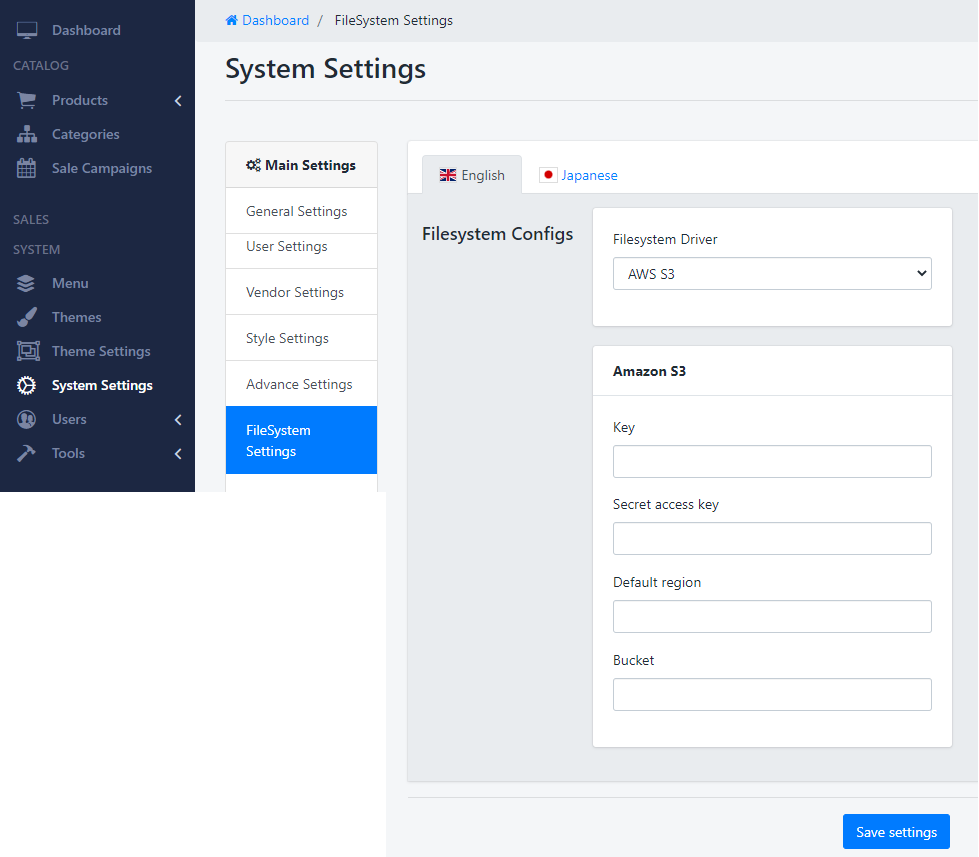
How to create AWS Access Key + Secret Access key?
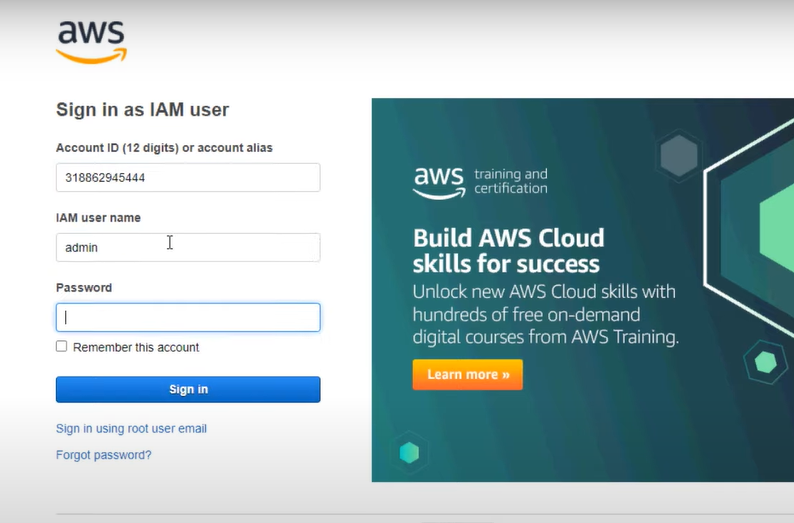
1. Login to https://aws.amazon.com/
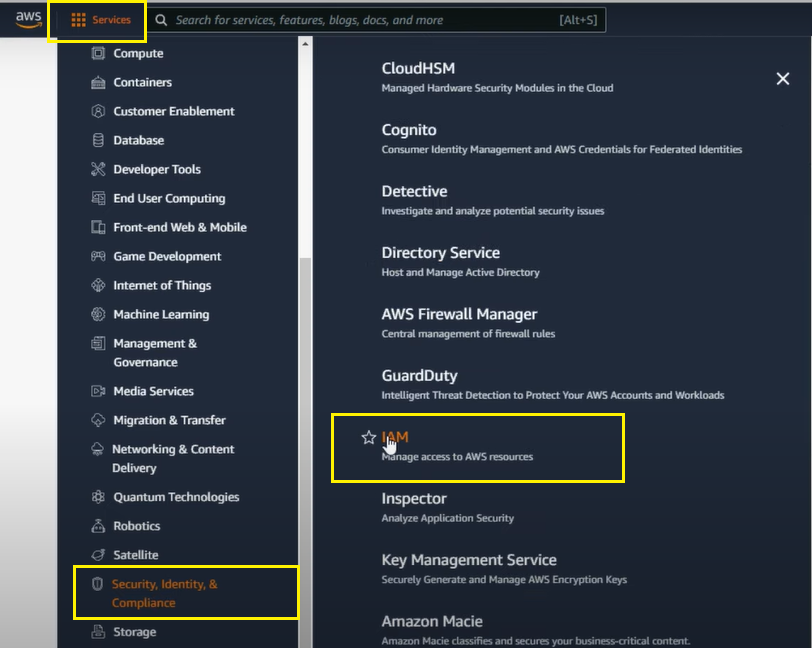
2. On the AWS Menu > Services > click Security identity > IAM
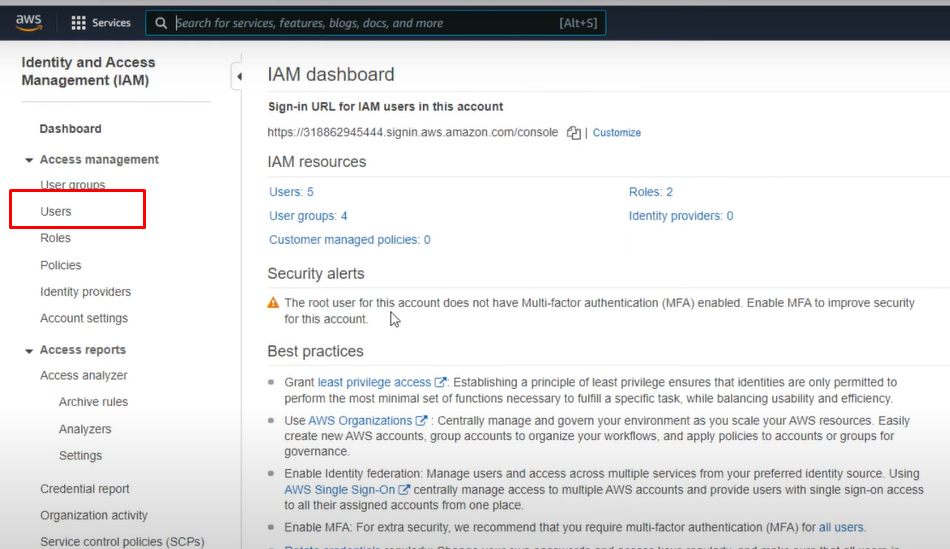
3. On the IAM Dashboard, find Users
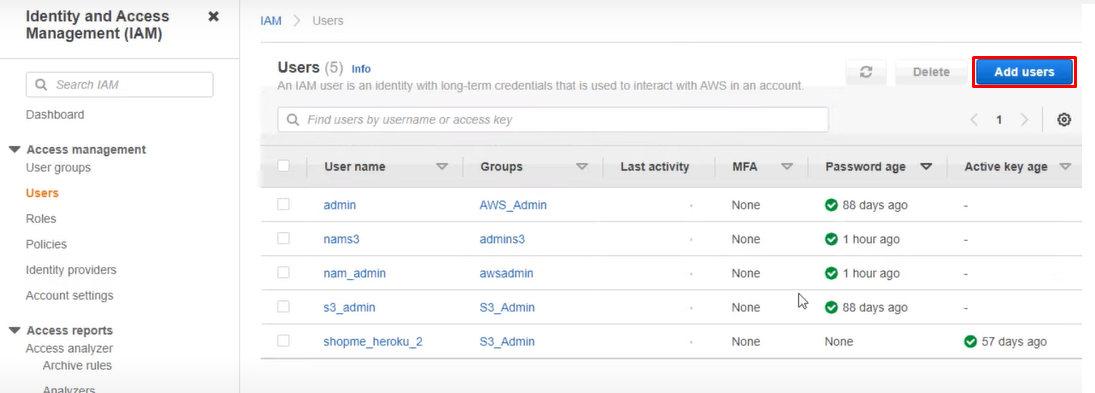
4. Press "Add new User"
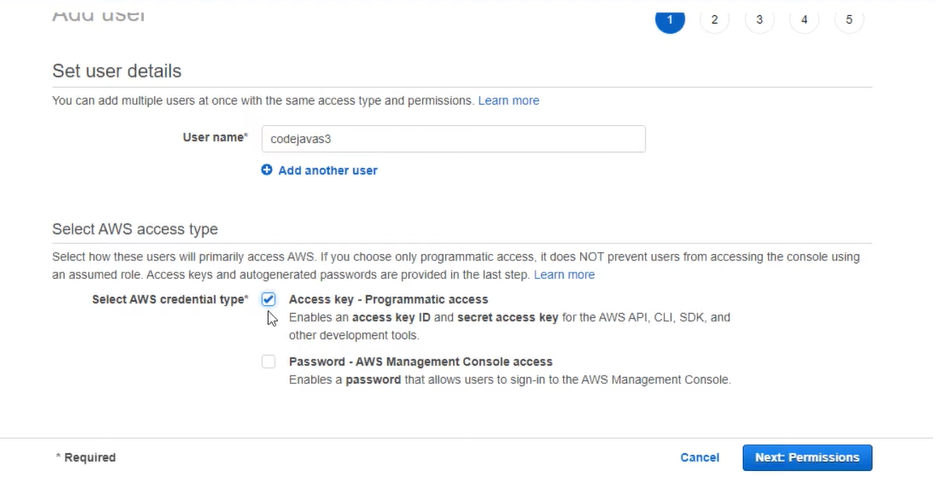
Input User name and select AWS credential type: Access Key
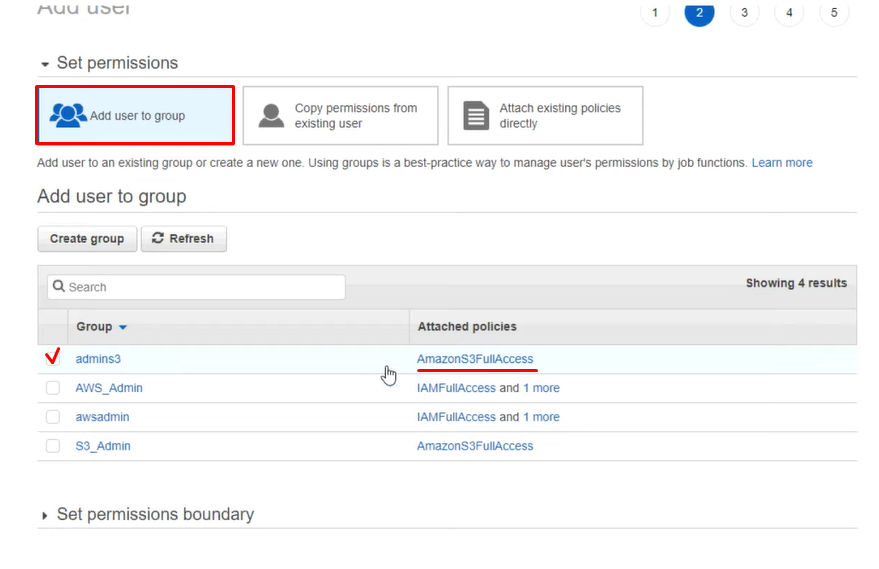
5. Add the user to a group, we will select a Group with the Attached policies: AmazonS3FullAcess
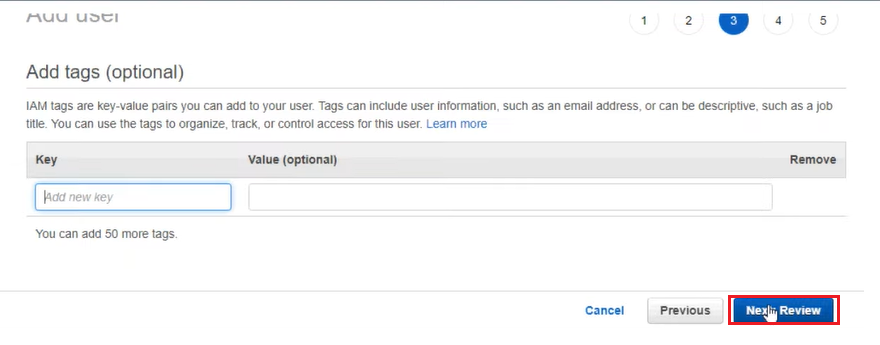
Press to Next Review
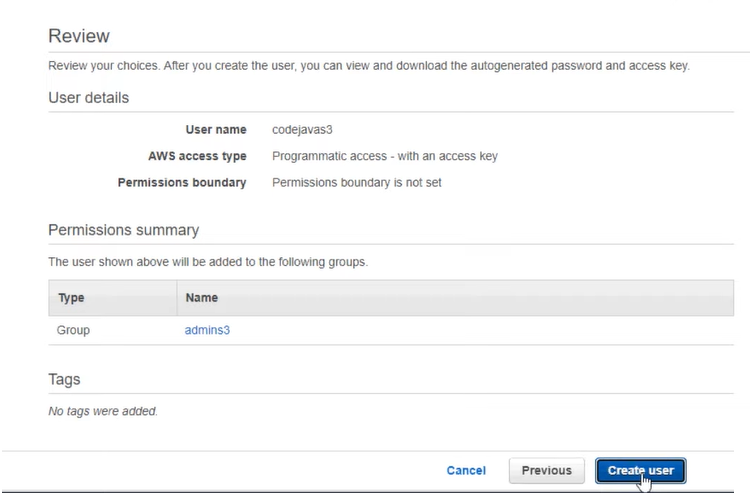
All information is here, press "Create User" to complete creating a user
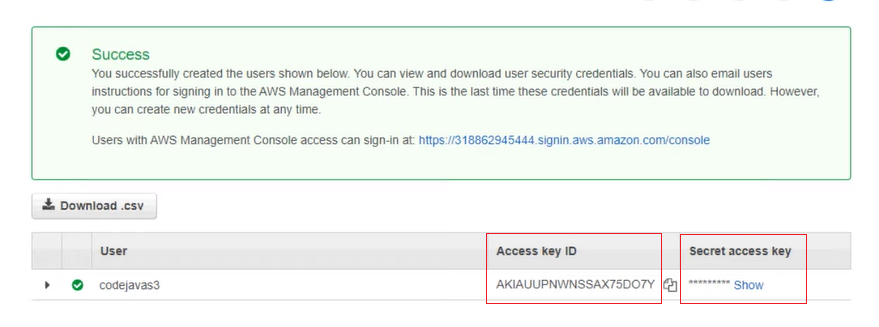
Copy the Access key ID + Secret access key
Was this article helpful?